


Tap away puzzles: how to read a 3D block figure before you tap
Published August 8, 2026
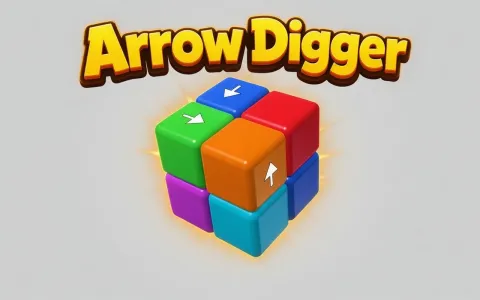 Arrow DiggerDig every cube out of the blockPlay now
Every tap-away puzzle runs on one rule: each cube carries an arrow, and tapping the cube sends it flying out of the figure along that arrow — but only if the entire line ahead of it is empty. Anything standing on that line stops it, whether it is the neighbour touching it or a wall of the figure ten cells further on. So the skill the genre asks for is not speed and not luck: it is checking the whole path before you commit, and turning the figure until you can actually see that path. In Arrow Digger a wrong tap costs one of your three lives, which makes reading the figure the entire game.
One arrow per cube, and it is on the side
Here is the detail that separates this from the tap-away games most players met first. Every cube has exactly one arrow, it is never duplicated onto the other faces, and it is painted on the side of the cube rather than on top. Five of the six faces tell you nothing at all.
That single design choice changes how you look at the figure. You cannot scan the shape once from a comfortable angle and plan ten moves — the arrow you need is often facing away from you, or pressed flat against a neighbour where no camera angle can reach it. A cube that looks blank is not broken and not a bug; its arrow is simply hidden against the cube next door and will appear the moment that neighbour is dug out.
Also worth fixing in your head early: the arrow points out of the face it sits beside, not along it. Getting that backwards is the single most common reason a confident tap bumps back.
Spin first, tap second
Drag anywhere to rotate the figure, pinch or scroll to zoom. Make that your default opening move on every level, before you touch a single cube. A figure opens up on the face pointed at you, but the cube that can actually move is usually behind it — that is how the levels are built.
A useful habit is a full slow turn at the start of each level, looking for two things: arrows pointing straight out into open space, and the general direction the shape wants to be taken apart from. Three hundred levels means three hundred different figures — blocks, stairs, pyramids, frames, tubes, rings, a Menger sponge, a gyroid, and grown lumps mirrored across one, two or three axes — and each shape has its own weak side where the free cubes cluster.
The figures run from eight cubes up to three hundred and fifty. On the big ones the turn matters more, not less: with hundreds of cubes on screen, only a handful are ever free at once, so scanning from one angle is close to guessing.
A bump-back is information, not a mistake to repeat
When a cube cannot leave, it bumps back and stays put — and the cube that blocked it lights up. That flash is the most valuable thing the game tells you, because it turns an invisible problem into a visible one: now you know exactly which cube to dig out first, and you can go and check whether that one is free.
The catch is that the information is not free. Every miss costs one of your three lives, and three misses restart the level. So treat the flash as a lesson rather than a tool — when you get one, do not immediately try the next cube that looks plausible. Follow the chain the game just showed you: the blocker becomes your new target, and if the blocker is itself blocked, that chain usually resolves in two or three steps.
Nothing here is random. Which cube is stuck is always decided by the geometry, and the answer is always visible from the right side. If you cannot see it, you have not turned far enough.
Colour is a hint — until every fifth level takes it away
On the standard levels the tint of a cube gives its direction away: one colour means one axis, another means a different one. Once you notice this you can read a whole face at a glance and spot the cubes pointing outward without squinting at individual arrows.
Every fifth level drops colour entirely and goes monochrome — white with black arrows, then black with white, alternating. The crutch is gone, and only the arrow itself will tell you anything. Those levels are noticeably slower to read, and they are where careless players burn all three lives.
Treat the monochrome ones as a different mode: zoom in more, turn more, and accept that you will make maybe a third as many taps per minute. Speed on a colour level does not transfer.
When several cubes are free, pick the one that opens the most
Sooner or later you find yourself with three or four legal taps and no obvious reason to prefer one. The tiebreaker: take the cube whose path crosses the most of the figure. A cube that exits through the deepest part of the shape clears the longest corridor behind it, which frees more cubes for the moves after it than one that pops off an outer edge.
The opposite habit — clearing all the easy outer cubes first because they are satisfying — is how you end up staring at a solid core with nothing legal left to try. The outer cubes were never the problem; they were the only thing giving you access.
The levels are laid out so every arrow becomes visible before its cube is needed, usually just a move or two before. That is a promise you can lean on: if nothing looks free right now, the move you are missing was created by your last tap, so re-read the figure instead of hunting in the same place.
Play it free in your browser
Arrow Digger runs on crokocat with no download and no sign-up, on desktop, phone or tablet. Left-drag to rotate and scroll to zoom on desktop; swipe to rotate and pinch to zoom on mobile; click or tap a cube to send it out. There are three hundred levels plus a daily puzzle rebuilt from the date, so everyone gets the same one — and past the last level the campaign laps onto its final hundred with the arrows laid out afresh each lap.
If you want the same family with a different twist, Arrow Cube paints the arrows across the surface of a cube and slides them along its faces instead of firing whole cubes out of a figure. Same portal, same one-tap rule, a genuinely different puzzle to read.
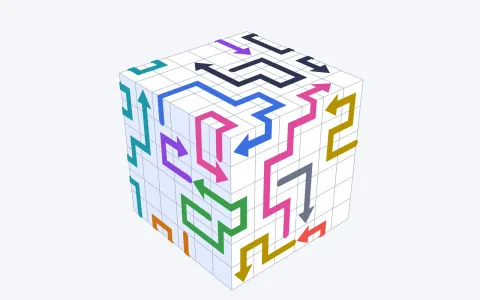 Arrow CubeClear every arrow off the cubePlay now
Frequently asked questions
How do you play a tap away 3D puzzle?
Tap a cube and it flies out of the figure along the arrow painted on it — but only if the whole line ahead is empty. If anything stands on that path, the cube bumps back. Drag to spin the figure so you can see the arrows, and clear whatever is blocking before you try again.
Why won't a cube move when I tap it?
Something is standing on its path — a neighbour, or a wall of the figure further along the line. The cube that blocked it lights up, so dig that one out first and come back. Nothing about which cube is stuck is random; it is always decided by the geometry.
Why can't I see an arrow on some cubes?
Each cube has exactly one arrow and it sits on one of its side faces, so it can be pressed flat against a neighbour and stay hidden. Remove the neighbour and the arrow appears. The levels are built so every arrow becomes visible shortly before you need it.
What happens if I tap wrong?
Each miss costs one of your three lives, and three misses restart the level. That is why turning the figure before tapping is worth the seconds it takes — a guess and a plan look identical until the cube bumps back.
Why do some levels have no colours?
Every fifth level goes monochrome, alternating white with black arrows and black with white. On colour levels the tint of a cube hints at its direction; on the monochrome ones that hint is gone and only the arrow tells you anything.
Guides & tips
Play it here
- Arrow Digger — Dig every cube out of the block
- Arrow Cube — Clear every arrow off the cube