


Wave games explained: why a 45° arrow and one button feel so hard
Published October 23, 2026 · Updated November 9, 2026
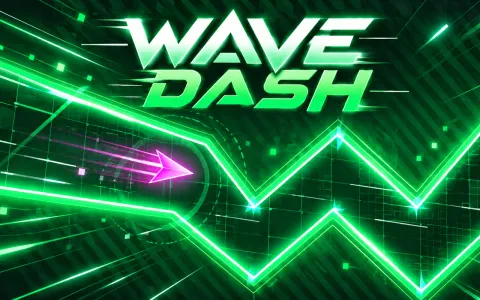 Wave DashHold to climb, let go to divePlay now
A wave game is a one-button game in which a small arrow always moves at 45 degrees: up while you hold the button, down when you let go. There is no neutral position, no steering and no brake, so you stay in a narrow corridor only by switching between holding and releasing. Wave mode is the part of Geometry Dash that players both love and dread, and Wave Dash plays the same idea free in your browser. This article explains why the wave feels so hard, what separates it from other one-button games and where to practise.
What a wave game is
The wave comes from Geometry Dash, where it is a short stretch of a level in which your icon turns into a little arrow. The arrow can only go up or down at 45°, through a corridor that zigzags to the beat. It is the most loved and most feared mode of that game.
Geometry Vibes turned that single mode into a whole series of mobile games, and Wave Dash is a free browser game built on the same idea. The rule set fits in a sentence: hold anywhere, or hold Space or the up arrow, to fly up; let go to dive. The corridor has glowing walls that rise, fall and narrow, and later levels add spikes on the ceiling and on the floor.
Wave DashHold to climb, let go to divePlay nowWhy the wave feels so hard
Most one-button games give you a neutral state. In a flapper the bird drops between taps, in a runner the character keeps going until you press jump. In a wave game there is no resting state at all: the arrow is always climbing or diving, and the only way to hold a height is to alternate quickly. Your thumb is never idle.
The other difficulty is that the arrow cannot stop to think. A dive toward the floor needs a counter-move almost at once, and an over-correction sends you toward the opposite wall. You are not steering a position, you are steering a direction, and direction changes only when you press or release. That is why even a wide corridor can end a run in a few seconds for a beginner.
How it differs from other one-button games
Wave Dash is far from the only game that asks for a single input. Wingbeat is a flapper: tap to flap through the gaps between pillars, and the bird drops between taps. Drift Line is one-tap drifting, where you hold to steer up-right and let go to steer up-left on a zigzag sky road. In all of them the input is one button; what the button controls is different.
A flapper gives you lift in bursts, so your skill is rhythm and gap judgement. In Drift Line your car moves by itself and you pick one of two directions at each corner. In a wave game the arrow also moves by itself, but at a steady 45° in both directions, so what you have to learn is how to hold a straight line by making tiny, even presses. If you can fly the wave, flappers feel generous.
 WingbeatTap to flap through the gapsPlay now
 Drift LineOne-tap drifting on a zigzag sky roadPlay now
What makes a wave level fair
A good wave level is readable. In Wave Dash every level is built around a safe zigzag path, so it can always be flown; the challenge is timing your presses to stay on it. Every level opens with a wide, calm lead-in, which gives you a moment to find the rhythm before the first zigzag, and the first levels are wide and slow before the speed rises and the corridor tightens.
Short levels matter too. When you crash you start again at once, with your best progress marked on the bar at the top, so a run takes only a few seconds and a failed attempt costs almost nothing. If a late stretch keeps beating you, the flag button starts you from a save point near your best, and the next try goes straight to the part that needs practice.
Where to practise
Start with Wave Dash itself: it is free, needs no download and runs on desktop, phone and tablet. On a touch screen you press and hold, on a keyboard you use Space or the up arrow. For a gentler start, Wingbeat has you tap through the gaps in levels of twelve to thirty-two gates and has an endless mode, so you can build a feel for timing before the wave. Our own guide to Wave Dash covers the technique itself: short taps, reading the wall ahead and passing spikes.
If you want one-button practice with a different feel, Drift Line gives you tyre smoke and a checkered arch at the end of each level, and Key Jumper trades timing for slime parkour across a giant keyboard. All of them are quick to open, which suits the wave: a few short attempts at a time teach more than one long frustrated session.
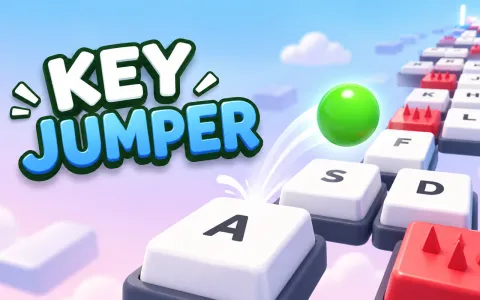 Key JumperSlime parkour across a giant keyboardPlay now
Frequently asked questions
What is a wave game?
A one-button game where a small arrow moves at 45 degrees, up while you hold and down when you let go. You play by switching quickly between the two to stay inside a corridor.
Where does the wave come from?
From Geometry Dash, where it is a mode of a level in which your icon becomes an arrow. Geometry Vibes turned it into a series of mobile games.
Why is the wave so hard?
The arrow never rests. It is always climbing or diving, so keeping a height means alternating quickly, and a large correction sends you into the opposite wall.
Can I play a wave game in my browser?
Yes. Wave Dash is free on crokocat, with no download and no sign-up, on desktop, phone and tablet.
What if I keep failing the last part of a level?
Use the flag. It starts you from a save point near your best progress, so you can practise the hard stretch without replaying the start.
Guides & tips
Play it here
- Wave Dash — Hold to climb, let go to dive
- Wingbeat — Tap to flap through the gaps
- Drift Line — One-tap drifting on a zigzag sky road
- Key Jumper — Slime parkour across a giant keyboard